The short answer is “Yes”
For most services offering video or audio content, a Smart TV app is still worth building even if your mobile and web apps work well. In this article we will walk through the practical benefits of having an app designed specifically for the Smart TV environment and help you understand when it makes sense to build one.
When should you build a Smart TV app?
Many assume that Smart TV apps are only for streaming platforms like Netflix, HBO or Disney+. In reality, a TV app can make sense in far more situations, whether your content is entertainment content or something completely different. Any organisation with useful or valuable video or audio material can benefit from being present on the biggest screen at home.
A TV app is worth considering when:
- you have video or audio content that either is your service or adds value to it
- you want to reach your audience at home and also in shared viewing moments
- you want to increase watch time and keep your audience engaged longer
- you want to give your audience a simple and convenient way to access your content directly on their TV
- you want visibility in app stores for Samsung, LG, Android TV and other Smart TV platforms
- your competitors already have a TV app or are moving in that direction
- you want full control over how your brand looks and feels on the big screen
In short, a TV app makes sense when you want to offer a clear and comfortable viewing experience on the big screen. On the other hand, it is not usually worth building one if you do not have meaningful video or audio material, your library is very limited or new content is rarely added.
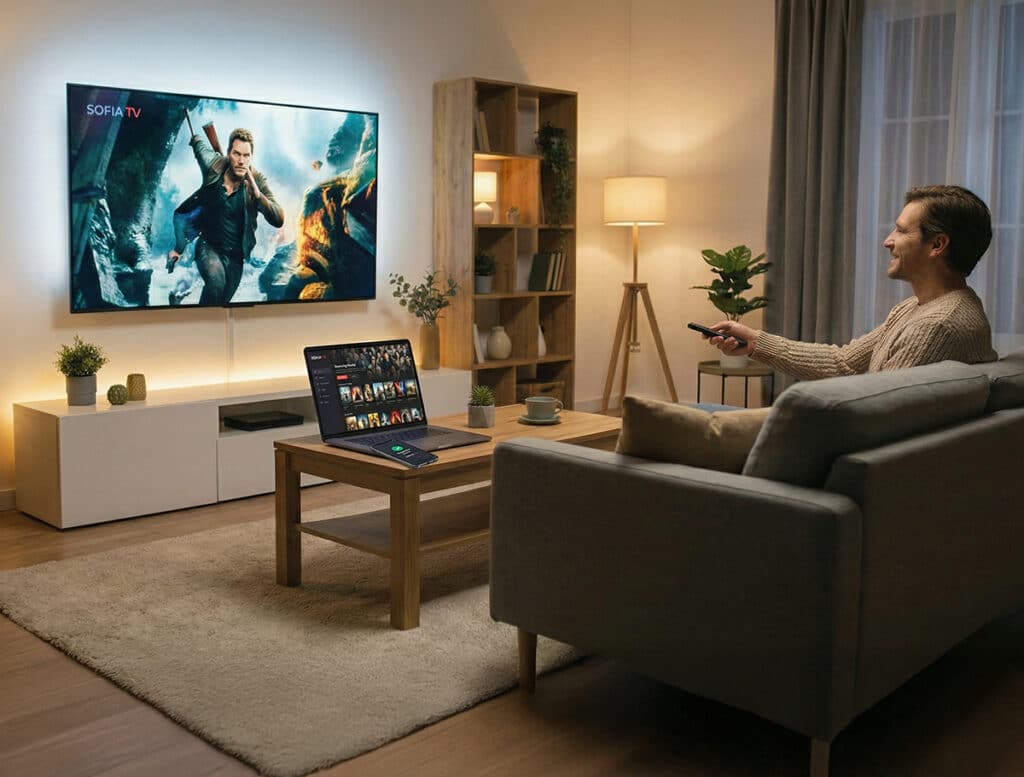
The unique value of the living room screen
A TV isn’t just a larger screen. It is used in a different way than a mobile device or a computer, and the viewing experience is calmer, more focused and often shared with others. People sit down to watch, not to browse, and the TV becomes the natural place for longer, more intentional sessions. These differences shape what people expect from your service on the big screen, and they also explain why a TV app can offer things that mobile and web apps simply cannot.
- People watch longer on a TV. Viewing sessions are intentional, relaxed and uninterrupted, which naturally increases watch time. Longer sessions strengthen retention and make it easier for your content to have an impact.
- The TV environment is calmer and more focused. There are no notifications or quick distractions, so content receives more attention than on personal devices. This makes the big screen ideal for more immersive or meaningful material.
- A TV app supports shared viewing. Couples, families and groups often watch together, which can make your service relevant to several people at once without needing multiple devices.
- A TV app makes your content look and sound better. The big screen reveals detail that easily gets lost on mobile devices, and many homes use their TV with a soundbar or speaker setup. This makes high-quality video and audio more enjoyable and gives your content more room to shine.
- TV app stores are discovery channels. Many people find new services simply by browsing their TV’s home screen or app store recommendations. TV app stores also have far fewer apps than mobile stores, so it is often easier to stand out from competitors.
- A TV app becomes part of the home screen routine. Opening an app on a TV is simple and direct, especially for audiences who prefer not to browse on a phone or computer. Once installed, your service appears directly on the TV’s home screen, making it easy to return to with just a few clicks. This level of visibility is something mobile and web apps cannot match.
- A TV app delivers a clearer, more intentional brand experience. Layouts, spacing and pacing can be designed for the living room context, so the service feels natural on a large screen instead of being stretched from another platform.
- Designing for TV unlocks its own strengths. Even though the navigation model is different, a well-designed TV app guides viewers smoothly with simple, predictable input. This makes browsing and watching more comfortable on the big screen.
Together, these factors show why the living room screen offers value that personal devices cannot replicate and why a dedicated TV experience can meaningfully improve how your audience interacts with your content.
Casting vs Smart TV app
Many services decide not to build a Smart TV app because their content can already be cast from a mobile device or a computer. In many situations this works well, as long as the TV or a connected device supports casting and the viewer is able to deal with the occasional connectivity issues that come with it. Casting can also be the most practical option in places where the viewer cannot install apps themselves, such as hotel rooms.
Still, there are many everyday situations where a dedicated TV app offers a more reliable and comfortable experience than casting alone. The points below describe the most common reasons.
- Casting depends on the viewer’s phone or computer. If the device receives a call, runs out of battery or switches apps, the casting session may stop or pause. A TV app keeps playing independently.
- Casting is more sensitive to network issues. Small drops in Wi-Fi quality or device handovers can interrupt playback. A TV app avoids these weak points by handling the stream directly on the TV.
- Casting is a personal action, while TV apps support shared viewing. Only one person controls the cast, and it requires them to have the right device at hand. A TV app controlled by a shared remote is available to everyone in the household.
- Casting takes more steps than opening a TV app. The viewer needs to unlock a phone, open an app, find the content and choose the cast target. A TV app starts directly on the screen with a few clicks.
- Casting does not give your service visibility on the TV. There is no app icon on the home screen and no presence in the TV app store. With a TV app, your service becomes part of the everyday interface.
- Casting offers limited control over the viewing experience. Layout, navigation and pacing follow the mobile app, which is not designed for the living room context. A TV app adapts the experience to the big screen.
Casting can still be the right choice in smaller or more limited cases. It can be enough when the audience is small or niche, the content is watched only occasionally, the service does not need visibility in TV app stores, the budget is very limited or the goal is simply to offer basic access rather than a full viewing experience.
Overall, while casting can be an adequate option in some situations, it does not replace the ease and reliability of having your service directly on the TV. Most services eventually add a Smart TV app when they need scale, retention or a stronger position in the market.
How mobile, web and Smart TV work together
Many people think in terms of choosing one main platform, but in practice the best viewing experience comes from using mobile, web and Smart TV side by side. Each of them is good at different things, and together they form a complete service. The TV is where the actual viewing takes place, while mobile and web handle tasks that are easier on personal devices.
- TV is a natural place for watching. It offers the calmest and most comfortable environment for long-form viewing and shared sessions at home.
- Mobile is best for quick actions. Payments, login, browsing and search are usually faster on a phone, and many people prefer to handle these “small tasks” there.
- Web is ideal for account management and detailed browsing. Larger screens and keyboard input make it easier to manage settings, explore content libraries and handle more complex actions.
- Mobile and TV work together through companion flows. QR codes and second-device login make onboarding easy, and viewers can continue watching across devices without losing their place. This kind of companion model works naturally when each device has its own role.
- Notifications and reminders belong on mobile, not on the TV. A TV app stays quiet and focused on watching, while mobile can inform the viewer of new content or relevant updates.
- Each platform supports the others instead of competing with them. Mobile and web make viewing easier, and the TV delivers the viewing experience itself.
The best experience comes when each device has a clear role, with mobile and web making things easier and the TV focusing on watching. A Smart TV app doesn’t replace your web and mobile apps, it makes the whole service stronger.
FAQ
Do all services need a Smart TV app?
Not necessarily. But if your service includes meaningful video or audio, the answer is usually yes. The TV remains the main screen at home for longer, more relaxed viewing.
Can Chromecast or AirPlay replace a Smart TV app?
Not fully. Casting works in some situations, but it depends on the viewer’s device, connectivity and a few extra steps. A TV app is more reliable and easier to return to.
Can I just run my web app in a Smart TV browser?
In principle yes, but in practice the experience is usually weak or even unusable. TV browsers are often older and far less capable than the ones on phones or computers, and the devices themselves have limited resources. Most TV apps are also built with web technologies, but by teams who know how to design and optimise for the constraints of a television.
Do I need separate apps for Samsung, LG, Android TV and other Smart TV platforms?
You need to submit the app separately for each platform, and each store has its own requirements. But the codebase can often be shared, especially when it is built with a framework designed for Smart TV environments. (Sofia Digital’s unified app development approach supports this model and keeps the work manageable.)
Isn’t it expensive to build a separate Smart TV app?
It doesn’t have to be. If you already have mobile or web apps, much of the logic, backend and design system can often be reused. The cost depends more on content structure and platform choices than on starting from scratch.
How do people log in without typing on a TV?
Most services support QR login or a second-device flow. The viewer signs in on their phone, and the TV activates automatically.
Does a Smart TV app help with engagement or monetisation?
Yes. Longer sessions, better visibility and more stable viewing all support stronger engagement, and for ad-based services the TV environment is often more valuable.
Summary
A Smart TV app is still worth building even if your mobile and web apps already work well. It isn’t just another version of your service – it’s the place where people naturally sit down to watch longer content, where the viewing experience is calmer and more focused, and where your brand has the room it needs to look its best.
A dedicated TV app removes the small points of friction that come with casting, and it gives your service a consistent presence on the home screen. Mobile, web and Smart TV each have their own strengths, and the viewing experience is at its best when every device has a clear role. The TV app is where the viewing itself happens and where people can easily return.
A Smart TV app does not replace your existing apps. It makes the whole service stronger.